Available on the App Store
Your terminal, everywhere
SSH and Mosh from your phone. Pick up tmux sessions where you left them. Keep coding from anywhere.
Built for developers who work from anywhere
Everything you need to reach your remote dev environment from your phone.
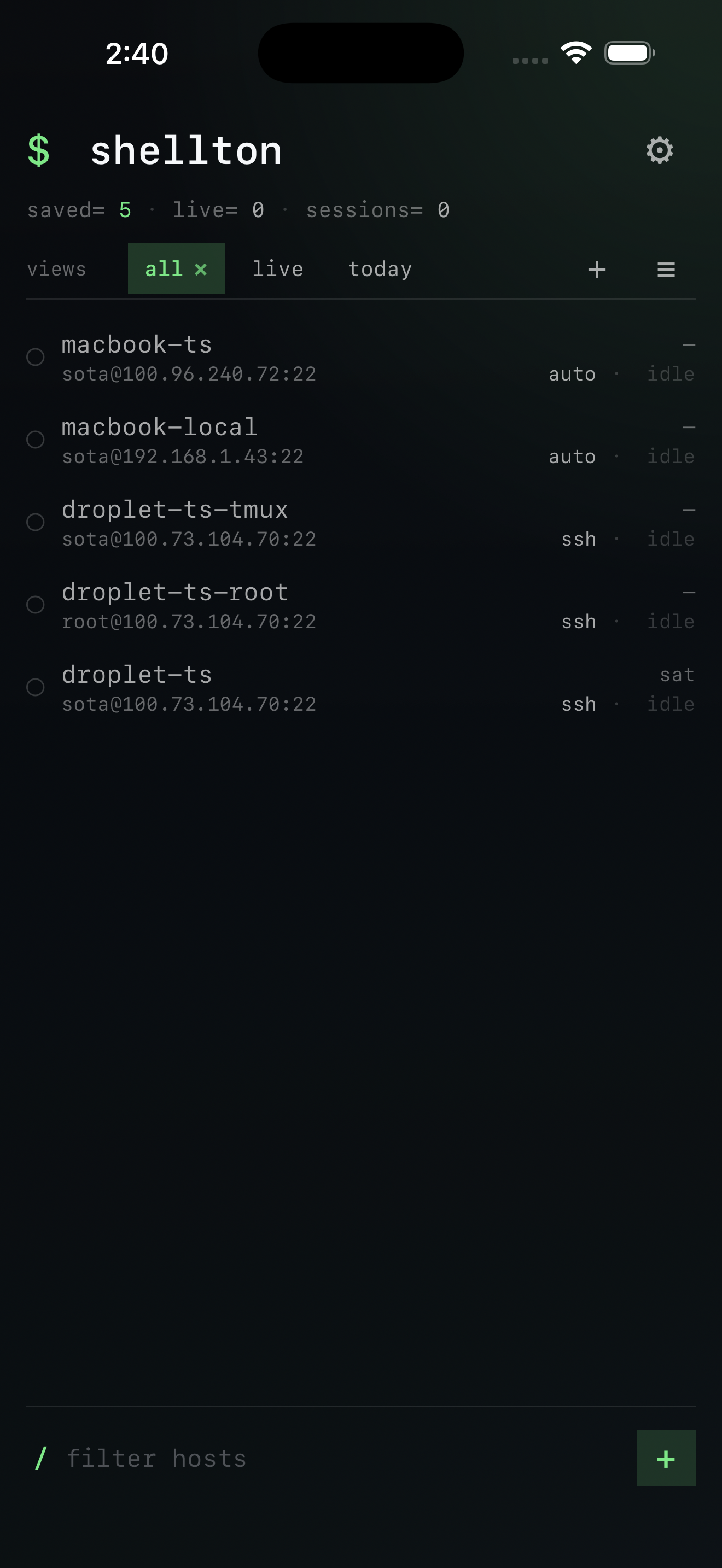
SSH + Mosh with auto-fallback
Tries Mosh first for persistent connections that survive network changes. Falls back to SSH transparently if Mosh isn't available.
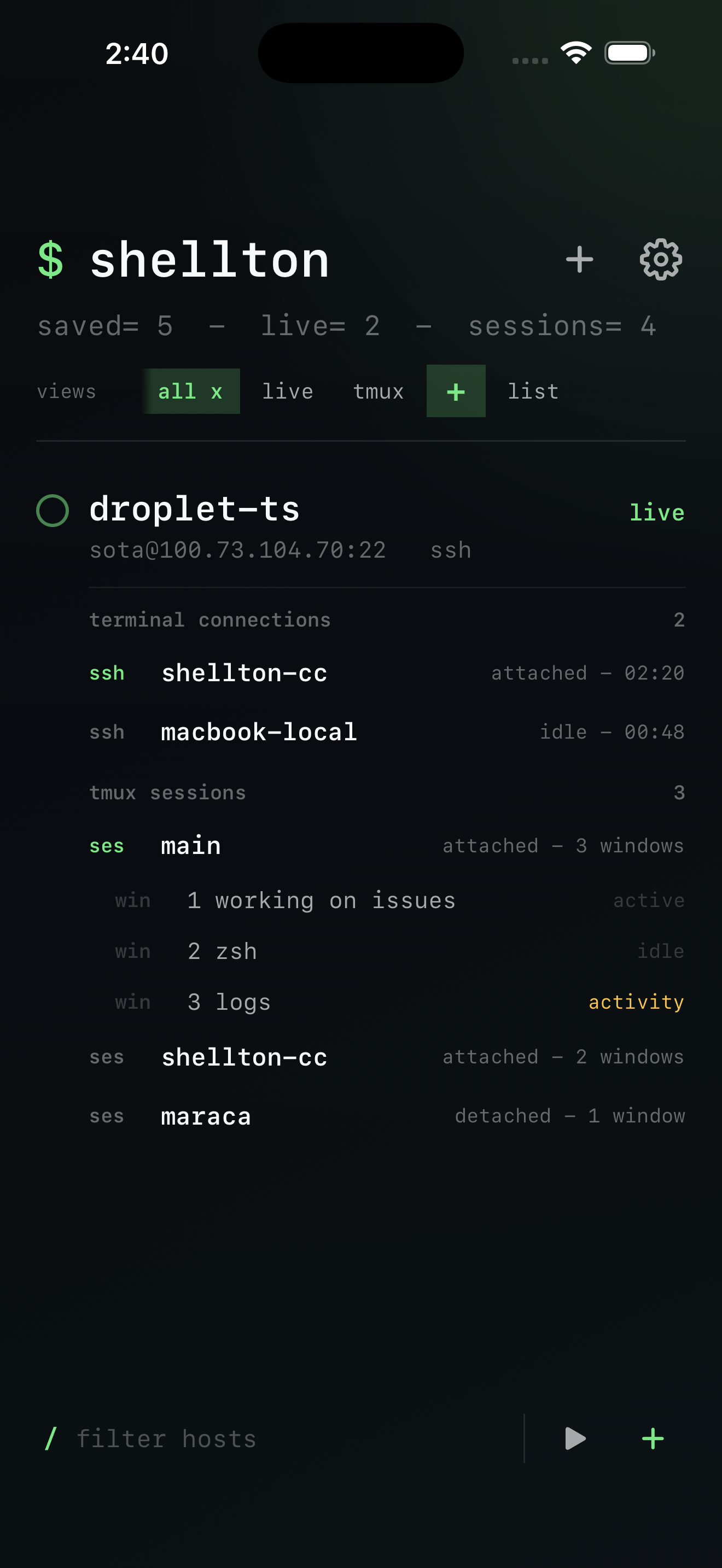
Live tmux on the home screen
See your tmux sessions, windows, and activity status before you connect. Tap to attach directly to a running session.
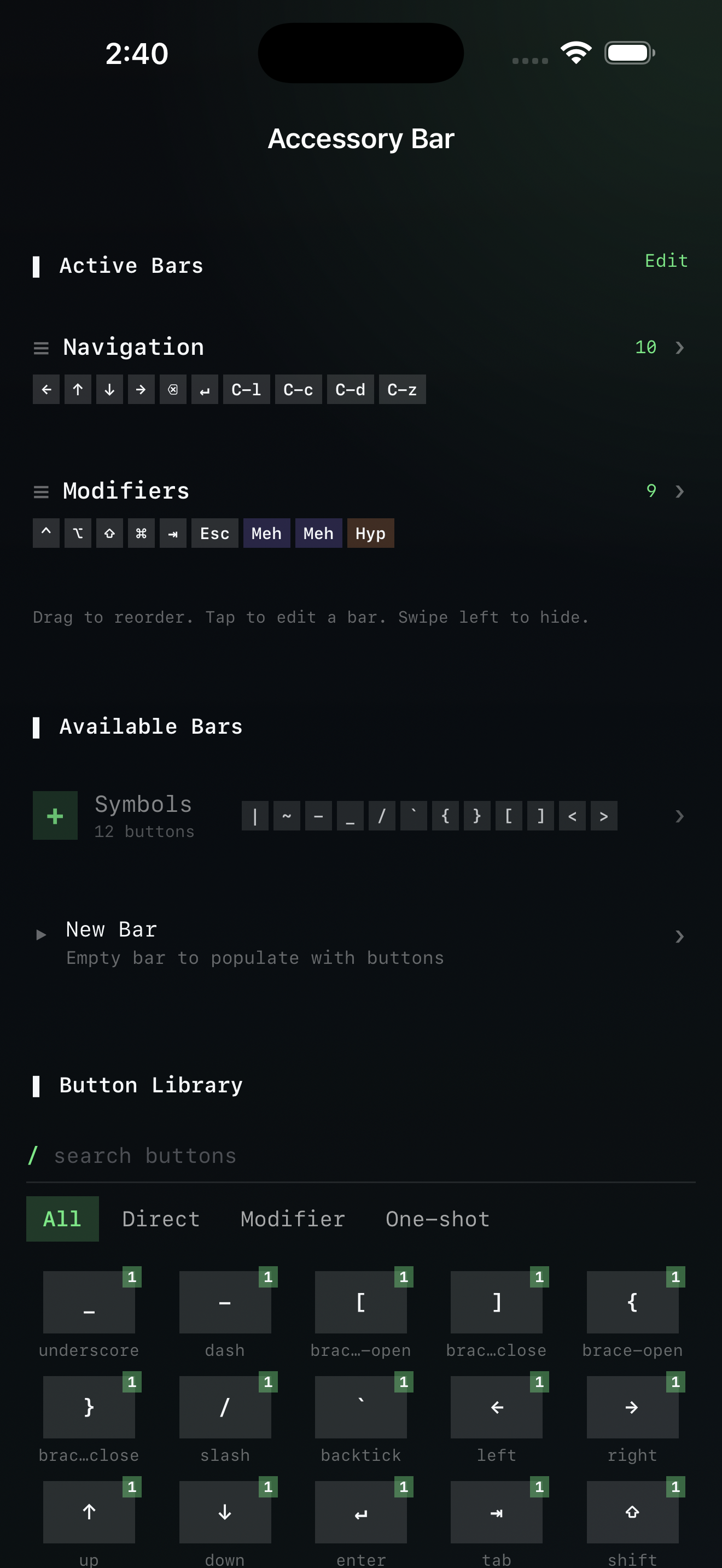
Customizable accessory keyboard
Drag-and-drop modifier keys, escape sequences, one-shot keys. Build the exact toolbar your workflow needs — Ctrl, Esc, tmux prefix, Hyper, Meh.
Voice-to-command
Dictate shell commands when you can't type. On-device speech recognition, no network required.
iCloud config sync
Your connections, keyboard layout, and preferences sync across devices via iCloud. Edit the YAML config directly if you prefer.
Privacy-first
No analytics, no telemetry, no accounts. Connections are direct — your traffic never passes through our servers.
FAQ
Does shellton require a server-side component?
No. shellton is a standard SSH/Mosh client. If you can connect from your laptop's terminal, shellton can connect too.
What about Mosh — do I need to install it?
Mosh needs to be installed on your server (most Linux distros have it in their package manager). If it's not there, shellton falls back to SSH automatically.
Can I use it with Tailscale / WireGuard?
Yes. shellton connects to whatever IP or hostname you configure. If your server is reachable over a VPN, just use its VPN address.
Is my data private?
Completely. No analytics, no telemetry, no accounts, no server-side component. Connections go directly from your device to your server. Config syncs through your own iCloud account.
Your dev environment, one tap away
Download shellton from the App Store and connect to your development environment from anywhere.