I have a customer, Louise, who works at an energy company and struggles with managing her scattered Python scripts across various folders.
Every time she needs to retrieve results, she has to remember the script location, manually open it, and execute the commands.
The situation becomes even more complex as the input and output files must flow between different scripts in sequence.
Introducing AI Agents: a solution that organizes your scripts as tools.
They automatically route your text input (in any language) to the right function, even configuring the input for you.
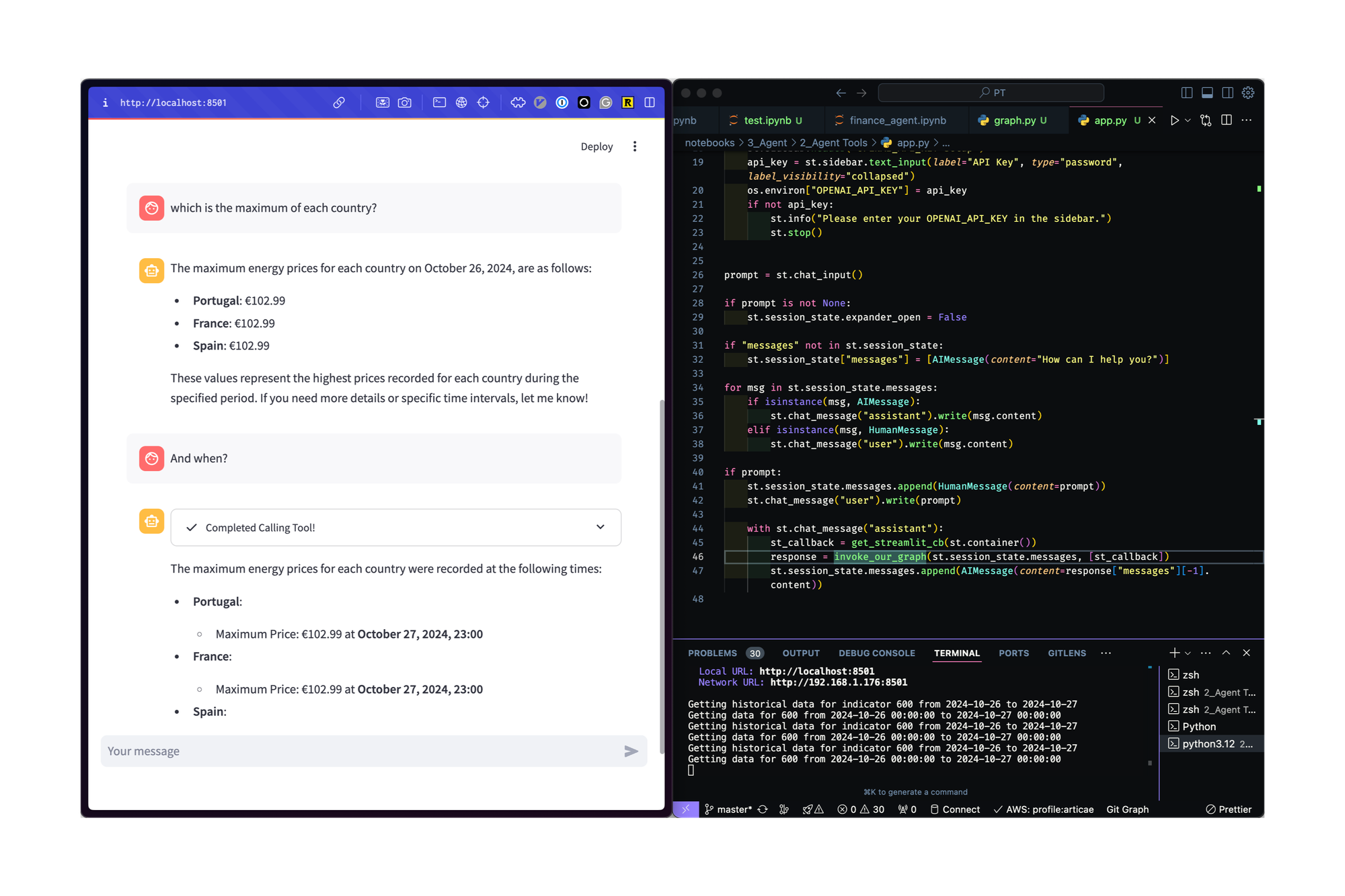
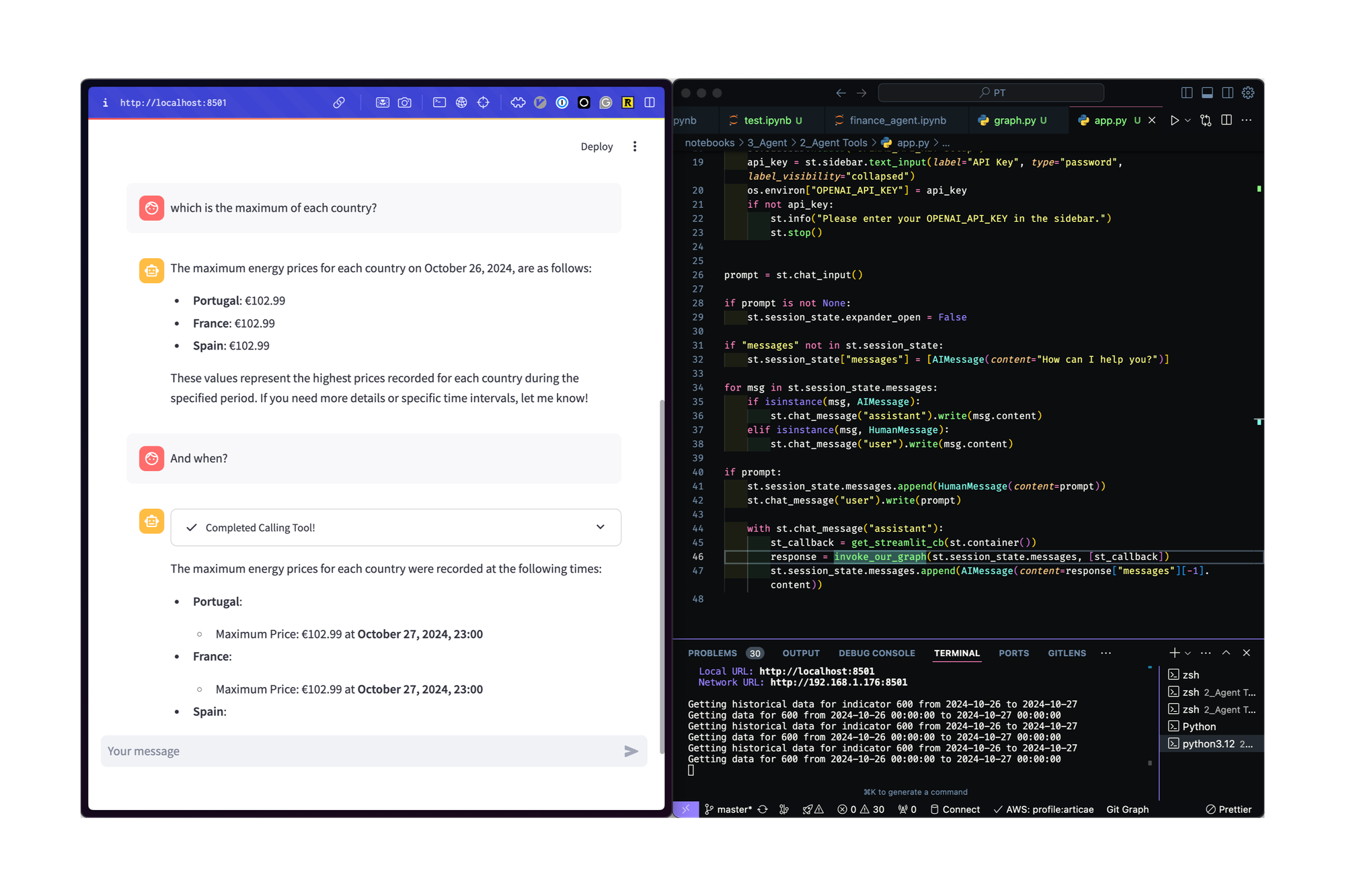
In the example below, a chatbot interacts with a script connected to the ESIOS API, answering questions and executing commands seamlessly.
This personalized system allows you to execute virtually anything directly from the chatbot, making the process smoother and more efficient.
References
Keep reading
Related articles you might enjoy

A data agent with real identity: end-to-end OAuth On-Behalf-Of over Microsoft Fabric
Almost no "chat with your data" demo answers the key question: whose permissions does the agent query with? How we built a production data agent for a Spanish energy company where every question travels with the user's identity all the way to the lakehouse — one MCP server, three clients (M365 Copilot, Claude, VSCode), and OAuth 2.0 On-Behalf-Of preserving RLS end to end.
Read
From days to minutes: ask your data in plain language
In most companies, answering a business question with data takes days: ticket, analyst, query, Excel. How a Spanish energy company cut it to minutes — any employee asks in their own language, from Teams or Claude, and gets the answer with their own permissions. No new passwords, no bypassing governance.
Read
Give Claude Code access to Europe's electricity data
Install the python-entsoe CLI and drop a skill file so Claude Code can query prices, load, generation, and transmission data across 30+ European countries.
Read